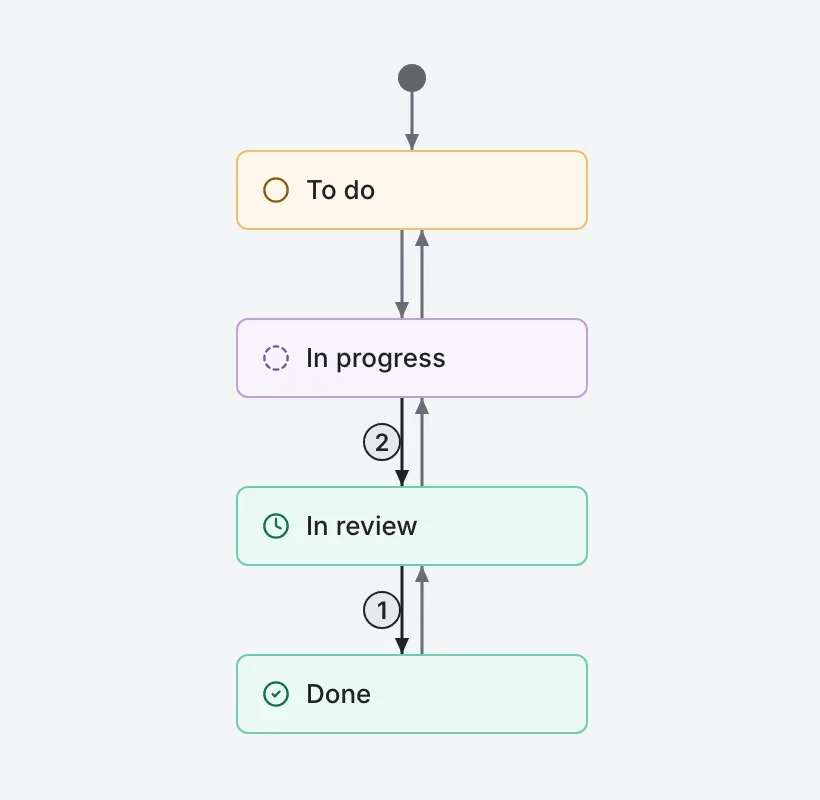
Why
Teams need rules, but not bureaucracy from day one. So a workflow starts open, and you add restrictions only where they are really needed.
How it works
A workflow belongs to a project
Statuses, columns and transitions are shared by all tasks of the project.
Open or restricted
Open allows any transition. Restricted allows only the routes you define; as soon as you turn it on, Volent builds a chain between neighbouring columns in both directions.
Going back loses nothing
If you switch back to open, your routes, requirements and actions are remembered and restored the next time you restrict. A separate button with a confirmation resets them.
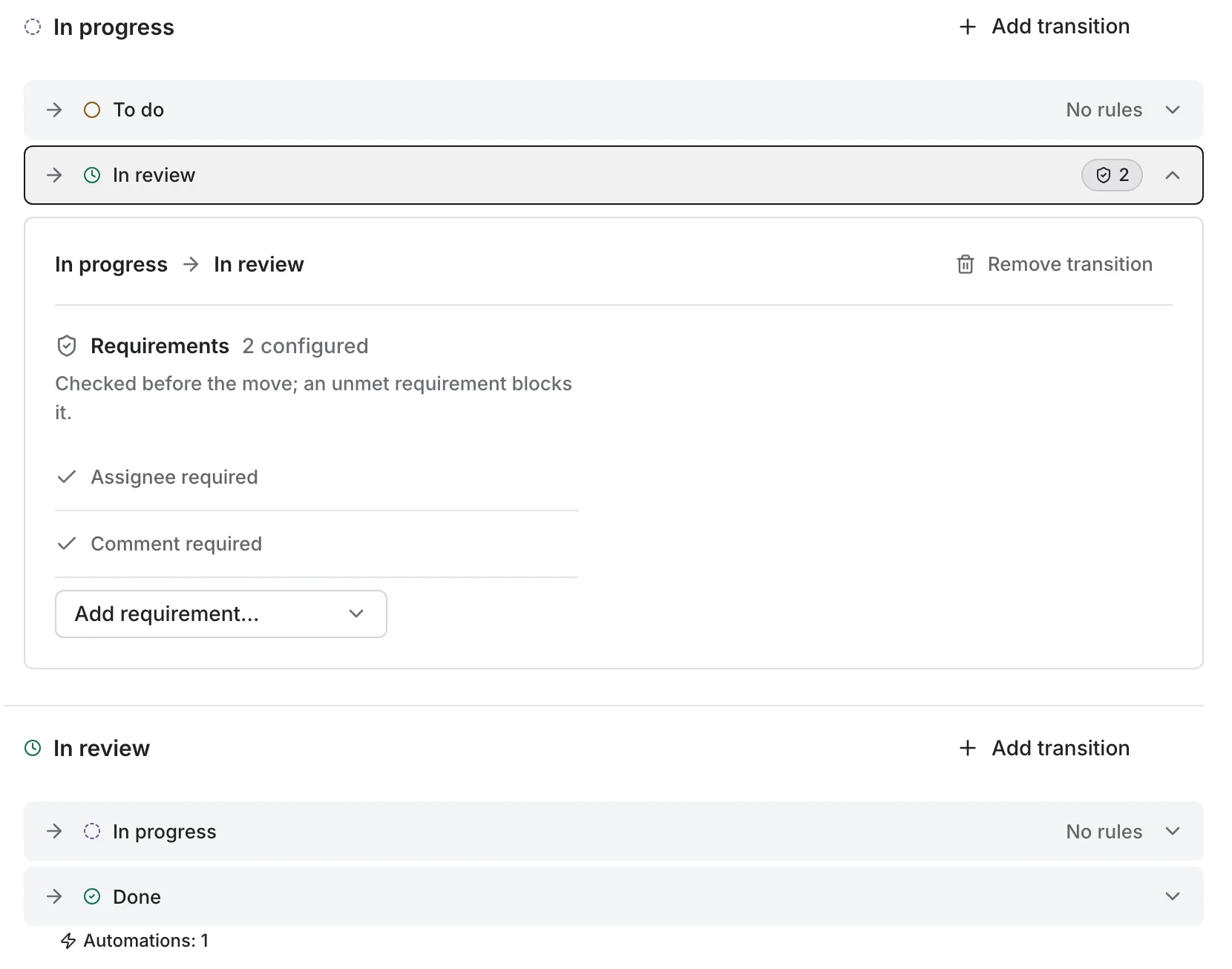
Restricted mode: routes between statuses Requirements on a transition
Require an assignee, at least one comment or a filled-in field. If a requirement is not met, the task stays where it is and the person sees the reason.
Actions after a transition
Assign an assignee, change the priority, fill in a field, notify the assignee or watchers, add a comment.
Safeguards outside the rules
A task with open subtasks cannot be closed. A blocker holds a task until the blocker itself reaches the chosen column. Required fields of the type are checked on every status change.
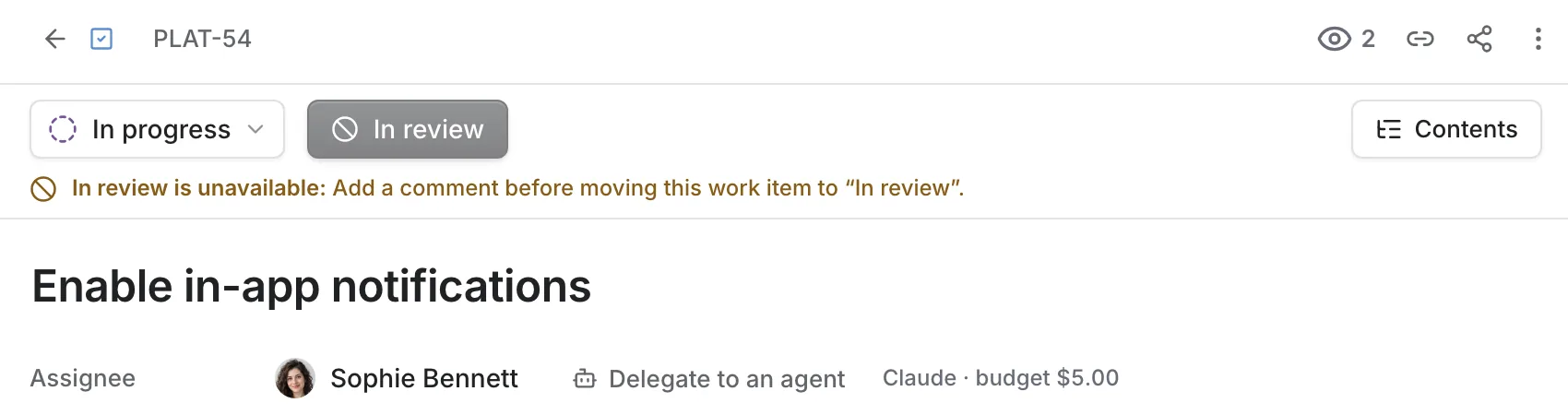
Transition closed: the blocker has not reached the required column yet Protection against breakage
You cannot remove the last exit from a status that has tasks. When you delete a status, you choose where to move its tasks, and it all happens in one action.
The diagram
A vertical flowchart with a start point. Full screen, you can edit it: connect statuses by dragging, rearrange blocks, zoom, undo and redo.
Good to know
- A new task always starts in the first status of the first column that is not Done.
Availability
Annual Pro billing is 20% cheaper. Questions about plans: [email protected].
Smaller improvements
- Canvas bounds for the diagram.
- Blocks on the diagram remember their position.